Project Management software made specifically for real estate investor.
How the Real Estate Investment Lifecycle Works.
PaperWorking transforms raw property data into actionable portfolio intelligence. Streamline operations, eliminate manual tracking, and gain real-time visibility across your entire real estate portfolio's investment lifecycle.
BUILT ON THE REAL ESTATE INVESTMENT LIFE CYCLE
Acquisition, Fund, Hold, Exit. Four phases. One system.
Real estate investments follow a distinct lifecycle unlike standard work-related projects, moving through phases unique to the property industry. PaperWorking streamlines these stages into a unified ecosystem, driving operational efficiency and practical solutions for investors. By ingesting your project data points, PaperWorking generates 33 visualized KPIs (Key Performance Indicators) that provide the critical insights needed for smarter decision-making. We built PaperWorking to equip serious real estate investors with the intelligence required to measure and maximize investment performance.
Acquisition
Acquisition: Decide if the deal works before you buy. The Deal Calculator pulls live property data, an automated valuation, and projected cap rate, IRR, and cash-on-cash.
- Source and track deal leads
- Pull live property data and an automated valuation
- Underwrite with the Deal Calculator (cap rate, IRR, cash-on-cash)
- Make offers and track negotiations
- Optionally crowdfund a deal with serious investors
Fund
Fund: Get the money and paperwork lined up. Track contingency deadlines and earnest money, keep contracts in one vault, get alerted before dates go hard.
- Line up the money and the paperwork
- Track contingency deadlines and earnest money
- Keep contracts in one vault
- Get alerted before dates go hard
Hold
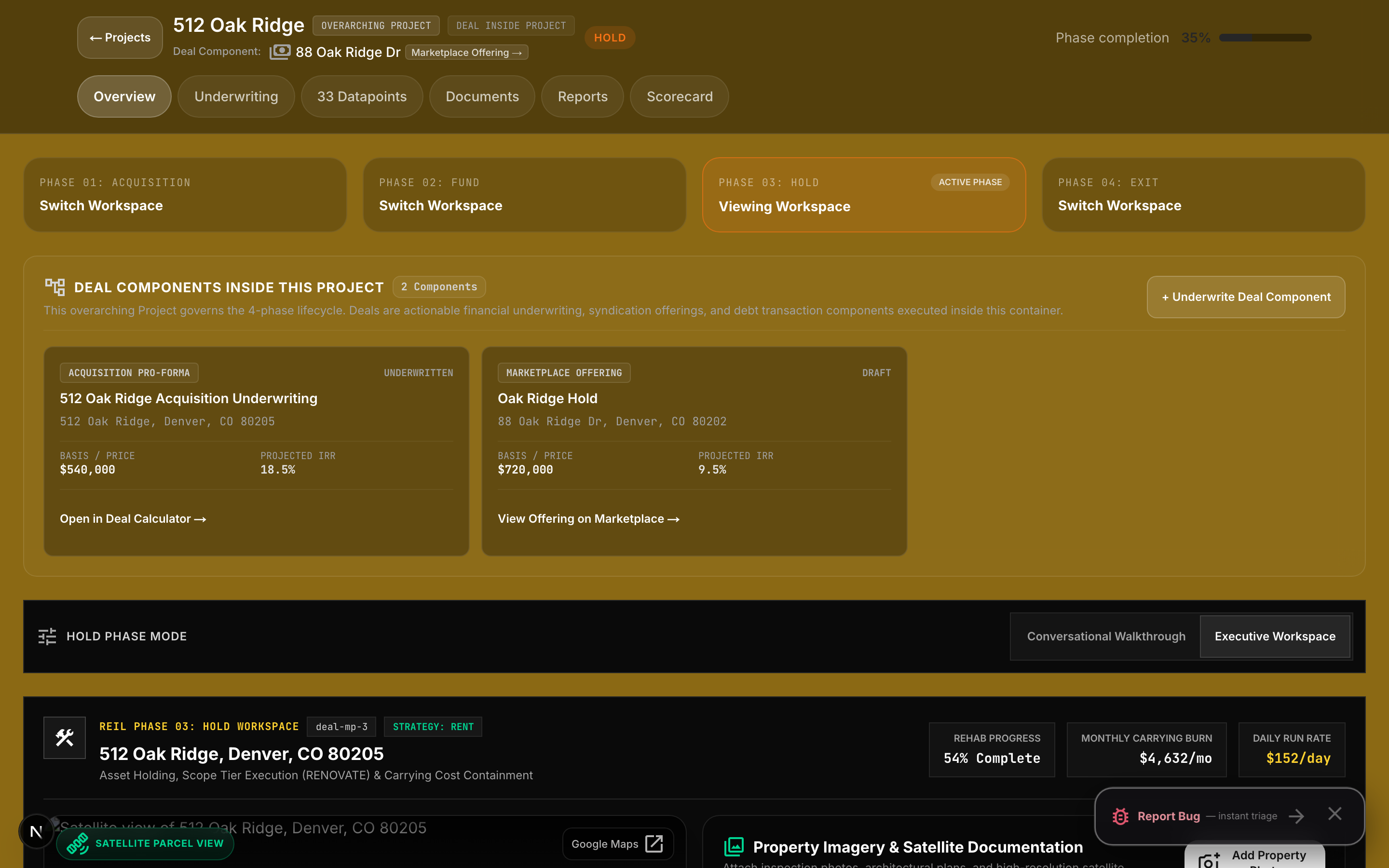
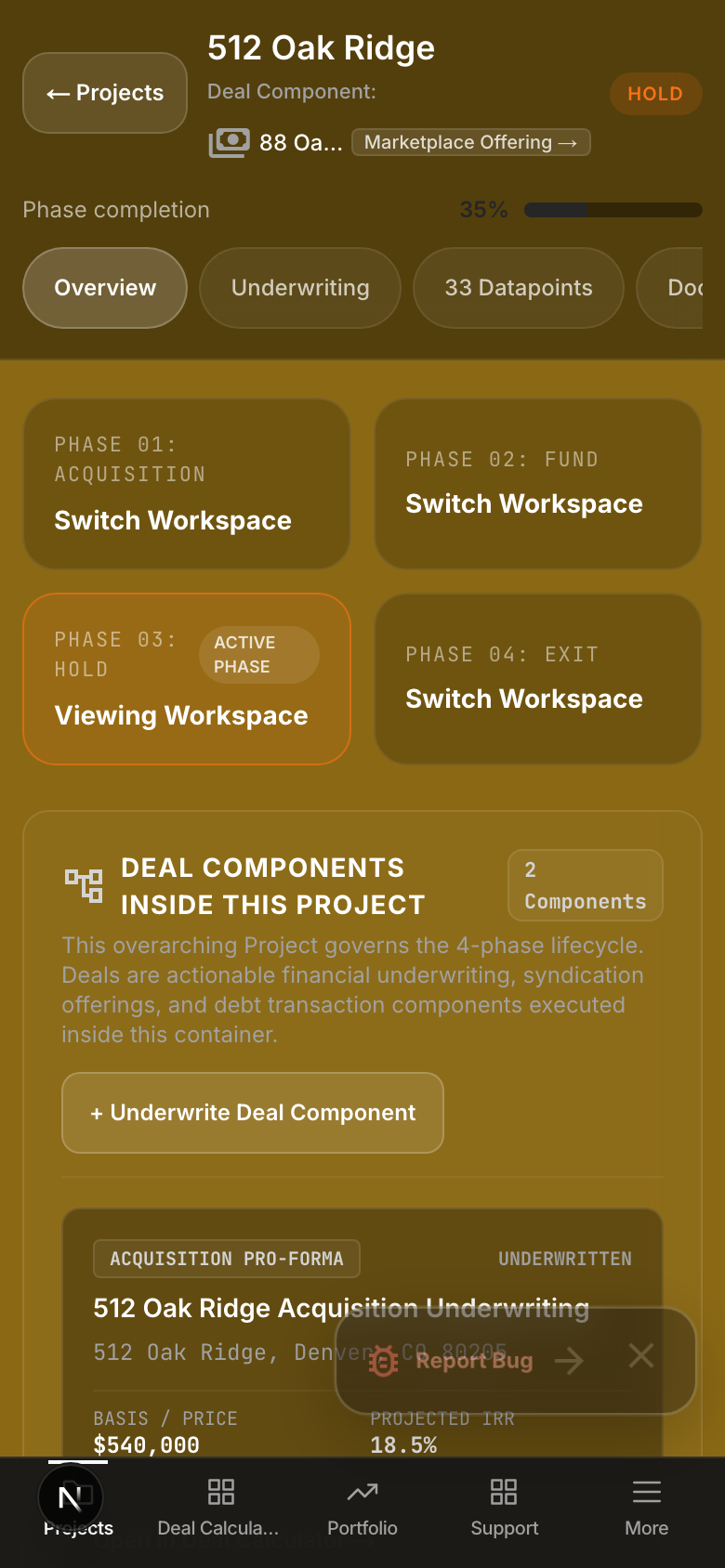
Hold: Own it and improve it. Link milestones to your budget, log expenses as they happen, watch holding costs and budget-vs-actual in real time.
- Link milestones to your budget
- Log expenses as they happen
- Watch holding costs and budget-vs-actual in real time
Exit
Exit: Sell it or keep it as a rental, and prove what it made. Generate the performance record your buyer, lender, or appraiser expects.
- Sell outright or keep as rental / lease / Airbnb / pop-up / commercial
- Generate the performance record your buyer, lender, or appraiser expects
The Real Estate Investment Lifecycle (REIL) is a system created to properly manage your real estate investments in 4 compartmentalized steps.
- PHASE 01 · ACQUISITION — hunting for investment opportunities, the option to crowdfund a deal working with serious investors, and tracking outcomes of individual Deals when you exit.
- PHASE 02 · FUND — where you fund the project and compile the necessary documentation and paperwork to make a real-estate transaction.
- PHASE 03 · HOLD — before you start collecting a return on your Projects: what are your costs?
- PHASE 04 · EXIT — how the investor exited: a complete sale, or renting, leasing, Airbnb, pop-ups, commercial, etc.
Purpose-Built for the Way Real Estate Actually Works
Real estate investments have their own unique lifecycle. We have created a project management methodology specific to the real estate industry called the REIL (Real Estate Investment Lifecycle).
Acquisition
- Source and track deal leads
- Pull live property data and an automated valuation
- Underwrite with the Deal Calculator (cap rate, IRR, cash-on-cash)
- Make offers and track negotiations
- Optionally crowdfund a deal with serious investors
Fund
- Line up the money and the paperwork
- Track contingency deadlines and earnest money
- Keep contracts in one vault
- Get alerted before dates go hard
Hold
- Link milestones to your budget
- Log expenses as they happen
- Watch holding costs and budget-vs-actual in real time
Exit
- Sell outright or keep as rental / lease / Airbnb / pop-up / commercial
- Generate the performance record your buyer, lender, or appraiser expects
What a Project is
A Project is the home base for one investment. It holds the Deal (the property and its numbers), the phase it's in, the tasks and deadlines ahead, the documents, the budget, and the ledger of every dollar in and out. You work in the Project; PaperWorking calculates your metrics from it.
The work you already do becomes the numbers you need.
Inside each phase of your deal
Analyze deals with professional precision.
Before deciding to make a major acquisition, spending thousands, even millions of dollars on an investment, use the PaperWorking integrated "Deal Calculator" to calculate the critical numbers real estate investors need to make critical decisions on a new investment.
What you log here (purchase price, projected rents, rehab estimate) becomes the baseline your actuals are measured against later.
Raising money from partners? List the deal on the Deal Marketplace to track interest from other real estate investors in your network and pledges from investors in the PaperWorking community. Interest and pledges are tracked here; every closing happens between the parties, off-platform. No money moves through PaperWorking.
Phase 2: Fund
Secure capital and centralize all critical transaction documents before closing. Active countdown gauges monitor financing milestones, inspection windows, and title conditions.
The secure document vault stores and verifies purchase agreements, title policies, and earnest money wiring confirmations, alerting all partners ahead of hard dates.
Phase 3: Hold
Manage active renovations, contractor draw requests, and operating cashflow in real time. Every draw invoice is logged directly against your approved scope of work.
The Vendor Directory earns its keep here: find and assign vetted contractors, appraisers, or real estate attorneys directly when project milestones demand them.
Phase 4: Exit
Compile lender-ready disposition packages, 1031 exchange audit trails, and CPA tax exports with one click. Generate verified NOI, DSCR, and equity multiple reports.
The Real Estate Investment Lifecycle
Real estate investments follow a distinct lifecycle unlike standard work-related projects, moving through phases unique to the property industry. PaperWorking streamlines these stages into a unified ecosystem, driving operational efficiency and practical solutions for investors. By ingesting your project data points, PaperWorking generates 33 visualized KPIs (Key Performance Indicators) that provide the critical insights needed for smarter decision-making. We built PaperWorking to equip serious real estate investors with the intelligence required to measure and maximize investment performance.
One deal, all the way through
Take one deal. You find a duplex and run the address through the Deal Calculator; the projected cap rate and cash-on-cash clear your bar, so you save it to the pipeline. Those projections become your baseline.
You go under contract, and the Project moves to Fund. The inspection deadline, the appraisal contingency, and the earnest money date get tracked with alerts. Contracts and title work go into the vault.
At Hold, you build the rehab budget line by line and link each milestone to it. Every contractor draw and invoice gets logged against a line item. Rent comes in through your connected accounts. You never open a spreadsheet, but cost basis, holding costs, and cash-on-cash stay current, because the ledger is the work.
When you sell or refinance, the Exit report reads from that same ledger: actual NOI, DSCR, equity multiple. Your CPA gets the P&L export. The Project closes, the history stays, and your portfolio numbers update the day it happens.
Lead Investor and Team roles
An Investor account runs solo. An Investment Team account has a Lead Investor, the person running the team, who invites members, assigns tasks and phases, and controls what each can view or edit.
- Partners work the phases they're assigned.
- Your CPA reads the books without being able to touch them.
- Contractors and vendors see only the work they're assigned.
Two investors can also team up on a single Project without merging accounts.
Want to see it first? Walk through a live demo deal: pipeline, budgets, deadlines, and metrics included.
The 4-Phase Deal Flow Diagram
Every property moves strictly through four stages. Each phase builds the data for the next.
Acquisition
Underwrite deals, model cap rate & IRR, pull live market data.
Fund
Manage earnest money, contract deadlines, and document vault.
Hold
Track rehab budget, milestone draws, and daily holding cost burn.
Exit
Generate lender-ready performance reports and CPA tax exports.